
Running a small business in the UAE involves much more than selling products or services. Business owners need to manage invoices, payments, customers, expenses, inventory, accounting records, and daily transactions while keeping operations accurate and efficient.
For many small businesses, manual invoicing or basic spreadsheets can become difficult to manage as the number of customers and transactions increases. Creating invoices manually, tracking unpaid bills, checking payment status, and maintaining sales records can consume valuable time and increase the possibility of errors.
This is where invoice software for small businesses in UAE can help.
Modern invoice software can automate invoice creation, organize customer and transaction information, simplify payment tracking, connect invoicing with inventory and accounting, and provide useful business reports from one centralized system.
The UAE is also moving toward a national electronic invoicing framework. The Ministry of Finance states that eInvoicing can simplify invoice processing, improve efficiency and transparency, and potentially reduce invoice-processing costs significantly when implemented correctly.
In this guide, we explore 10 major benefits of using invoice software for small businesses in UAE and explain what business owners should look for when selecting an invoicing solution.
What Is Invoice Software?
Invoice software is a digital business solution that helps companies create, manage, track, and store invoices electronically.
Instead of preparing every invoice manually, businesses can use software to generate professional invoices using stored customer and product information.
Depending on the solution, invoice software may also include features for:
- Customer management
- Sales billing
- Inventory management
- Payment tracking
- Purchase management
- Accounting
- Business reporting
- Invoice customization
- Payment reminders
- Cloud backup
- Barcode billing
- Multi-currency transactions
- Electronic invoicing
For small businesses, the biggest advantage is having important billing and transaction information organized in one system instead of relying on disconnected spreadsheets and paper records.
Why Small Businesses in the UAE Need Invoice Software
Small businesses often operate with limited staff and resources. Business owners may be responsible for sales, customer service, purchasing, inventory, accounting, and administration at the same time.
Manual invoicing can create unnecessary work.
For example, a business may need to:
- Create an invoice.
- Enter customer information.
- Calculate totals.
- Record the transaction.
- Update inventory.
- Track the payment.
- Follow up on outstanding amounts.
- Update accounting records.
- Store a copy of the invoice.
- Prepare reports later.
An integrated invoice software solution can bring many of these activities together.
Marg Invoice Software, for example, provides invoicing alongside customer management, inventory management, multiple payment modes, cloud backup, business reports, accounting capabilities, and other business functions.
10 Benefits of Invoice Software for Small Businesses in UAE
1. Create Professional Invoices Faster
One of the biggest benefits of invoice software is speed.
Instead of creating invoices manually in Word, Excel, or other basic tools, businesses can store customer and product information and generate invoices through a structured billing system.
This can help reduce repetitive data entry and make the invoicing process more efficient.
A professional invoice can include important information such as:
- Business name
- Business contact details
- Customer information
- Invoice number
- Invoice date
- Product or service details
- Quantity
- Price
- Discounts
- Taxes where applicable
- Total amount
- Payment information
- Terms and conditions
Marg’s invoice software includes fast billing and customizable invoice formats, allowing businesses to generate invoices according to their requirements.
For a small business processing dozens or hundreds of invoices, saving even a few minutes per transaction can add up to significant time savings.
2. Reduce Manual Billing Errors
Manual calculations create opportunities for mistakes.
An employee may enter the wrong quantity, calculate a discount incorrectly, select an incorrect price, or forget to update a transaction in another record.
Invoice software can automate calculations and use stored product, customer, and pricing information.
This can help reduce common errors involving:
- Product prices
- Quantities
- Discounts
- Invoice totals
- Customer information
- Payment records
- Inventory quantities
Marg provides automated calculation capabilities within its billing functionality, helping reduce the need for manual calculations during invoice preparation.
Fewer billing errors can also mean fewer corrections, fewer customer disputes, and less administrative work.
3. Save Time on Everyday Business Operations
Time is especially valuable for small businesses.
Instead of spending hours preparing invoices and updating separate records, employees can complete routine billing activities more quickly.
Invoice software can help automate or simplify tasks such as:
- Creating invoices
- Searching products
- Finding customers
- Calculating totals
- Recording payments
- Generating reports
- Tracking outstanding balances
- Managing inventory
- Sending payment reminders
For example, Marg provides advanced search, barcode billing, payment reminders, customer management, inventory functions, and business reports.
This gives business owners more time to focus on customers, sales, operations, and growth.
4. Track Outstanding Payments More Effectively
Getting paid on time is critical for small businesses.
A company can have strong sales but still experience cash-flow pressure if customers delay payments.
Invoice software can help businesses maintain a clearer record of:
- Paid invoices
- Unpaid invoices
- Partially paid invoices
- Customer balances
- Payment dates
- Outstanding amounts
Some solutions can also provide payment reminders.
Marg’s software includes scheduled SMS and email functionality for outstanding payments and reminders.
Instead of manually checking every customer account, business owners can use reports and reminders to identify outstanding balances that need attention.
5. Improve Customer Management
Customer information is another important part of invoicing.
A business may need to maintain:
- Customer name
- Contact information
- Address
- Invoice history
- Payment history
- Outstanding balance
- Purchase history
Invoice software can centralize this information and make it easier to find when preparing a new invoice.
Marg includes customer profile management and party history features as part of its invoicing and business management functionality.
Better customer records can help businesses provide faster service and understand customer purchasing patterns.
6. Connect Invoicing With Inventory Management
For retail, distribution, wholesale, pharmacy, FMCG, and other product-based businesses, invoicing and inventory are closely connected.
When a product is sold, inventory needs to reflect that transaction.
Using separate systems for billing and inventory can create unnecessary reconciliation work.
Integrated invoice software can connect sales transactions with stock information.
This can help businesses monitor:
- Current stock
- Sold quantities
- Reorder levels
- Fast-moving products
- Slow-moving products
- Near-expiry products
- Stock value
Marg’s invoice solution includes inventory management, reorder points, expiry-related stock controls, and business reporting.
For a small business, this integration can turn invoicing from a simple document-generation task into part of a broader business management system.
7. Make Accounting and Financial Management Easier
Invoicing is directly connected to accounting.
Every sale can affect revenue, customer balances, cash flow, inventory, and financial reporting.
When invoices and accounting records are disconnected, employees may need to enter the same information more than once.
Integrated software can help reduce duplicate data entry and provide a more connected view of transactions.
Depending on the software, businesses may be able to manage:
- Sales records
- Purchase records
- Customer balances
- Supplier balances
- Payments
- Expenses
- Bank transactions
- Profit analysis
- Financial reports
Marg positions its invoice software as an integrated billing, inventory, and accounting solution and provides a broad range of business and financial reports.
For small businesses, this can make it easier to monitor financial performance without maintaining multiple disconnected systems.
8. Support Digital and Electronic Invoicing
Digital invoicing is becoming increasingly important for businesses operating in the UAE.
The UAE Ministry of Finance issued its official Electronic Invoicing Guidelines in February 2026 as part of the national eInvoicing rollout. The framework is intended to standardize electronic invoicing and improve efficiency, transparency, and compliance.
The Ministry also highlights potential benefits such as faster invoice exchange, built-in validation and controls, improved cash flow, and significant reductions in invoice-processing costs.
For this reason, small businesses choosing invoice software in UAE should consider not only today’s invoicing requirements but also how the software provider plans to support the UAE’s evolving electronic invoicing framework.
Before purchasing software, ask the provider:
- Does the system support UAE eInvoicing requirements?
- How will future regulatory changes be handled?
- Are software updates included?
- Can invoices be exchanged electronically?
- How is invoice data stored?
- Can the system integrate with required platforms or service providers?
Do not assume that software described as “e-invoicing ready” automatically meets every current or future UAE requirement. Confirm the provider’s specific implementation and compliance approach.
9. Access Business Information and Reports
Small business owners need to understand what is happening inside the business.
Simply generating invoices isn’t enough.
Useful reports can help answer questions such as:
- How much did we sell this month?
- Which products sell the most?
- Which customers purchase the most?
- How much money is outstanding?
- Which products are slow-moving?
- What are our purchase costs?
- What is our gross profit?
- How much inventory do we hold?
Marg states that its invoice software provides extensive sales, purchase, inventory, and accounting reports and MIS functionality.
These reports can help business owners make decisions using actual transaction data rather than relying on assumptions.
10. Improve Business Scalability
A small business today may not remain small tomorrow.
As sales increase, the business may add:
- More customers
- More products
- More employees
- More invoices
- More branches
- More suppliers
- More payment channels
A basic invoicing tool may become difficult to manage as transaction volume grows.
Choosing scalable invoice software for small businesses in UAE can help businesses build a stronger operational foundation.
Look for software that can support future requirements such as:
- Multiple users
- Multiple branches
- Inventory
- Accounting
- Customer management
- Advanced reporting
- Multiple payment modes
- Multi-currency transactions
- Cloud backup
- Digital invoicing
Marg’s UAE invoice software page describes support for individual shops through retail chains and includes capabilities such as multiple users, inventory, accounting, reporting, cloud backup, and configurable business workflows.
Invoice Software vs Manual Invoicing
Many small businesses begin with manual invoices because they appear simple and inexpensive.
However, manual invoicing can become increasingly difficult as transaction volumes increase.
| Feature | Manual Invoicing | Invoice Software |
| Invoice creation | Manual | Faster and structured |
| Calculations | Manual | Automated |
| Customer records | Separate files | Centralized |
| Payment tracking | Manual | Integrated |
| Inventory connection | Limited | Available |
| Reports | Manual preparation | Automated |
| Invoice history | Difficult to organize | Searchable |
| Payment reminders | Manual | Automated options |
| Data backup | Manual | Digital/cloud options |
| Scalability | Limited | Better suited to growth |
For businesses with a small number of invoices, manual invoicing may initially seem manageable.
But as the number of transactions grows, software can provide significant efficiency advantages.
What Features Should Small Businesses Look for in Invoice Software in UAE?
Before choosing an invoice solution, evaluate the features based on your actual business requirements.
Essential features include:
- Fast invoice generation
- Professional invoice templates
- Customer management
- Product management
- Inventory integration
- Payment tracking
- Multiple payment modes
- Sales reports
- Purchase reports
- Accounting integration
- Payment reminders
- Data backup
- User access controls
- Business analytics
- Multi-currency support where required
- Electronic invoicing readiness
Marg’s invoice software currently lists capabilities including barcode and fast billing, customer profiles, inventory management, multiple payment modes, cloud backup, automated bank reconciliation, business reports, invoice customization, and accounting features.
How to Choose the Best Invoice Software for a Small Business in UAE
Choosing software should not be based only on the number of features listed on a website.
Follow these steps.
1. Identify Your Business Requirements
First, understand what you actually need.
Ask:
- How many invoices do we create each month?
- Do we sell products or services?
- Do we need inventory management?
- Do we need accounting?
- Do we sell to international customers?
- Do we need multiple currencies?
- Do multiple employees need access?
- Do we plan to open additional branches?
2. Check Ease of Use
Software should simplify your business, not create another administrative headache.
Ask for a live demonstration.
Test how quickly employees can:
- Create an invoice
- Find a customer
- Search for a product
- Record a payment
- Process a return
- Check inventory
- Generate a report
3. Check UAE E-Invoicing Readiness
Because the UAE is implementing its national eInvoicing framework, this should be part of your software evaluation process.
Ask vendors to explain exactly how their solution will support the UAE framework and future updates.
4. Compare Total Cost
Don’t compare software only on the initial purchase price.
Consider:
- Software cost
- User licenses
- Implementation
- Training
- Support
- Hardware
- Additional modules
- Data migration
- Updates
- Backup services
The most affordable solution isn’t necessarily the one with the lowest upfront price.
5. Evaluate Support
Good support can be important when implementing new business software.
Ask whether the provider offers:
- Installation support
- Training
- Technical support
- Software updates
- Troubleshooting
- Data backup
- Documentation
Why Marg Invoice Software Can Be Useful for UAE Small Businesses
Marg’s invoice software is designed to combine invoicing with broader business functions rather than treating invoice creation as an isolated activity.
Its listed capabilities include fast billing, customer management, inventory management, multiple payment modes, cloud backup, payment reminders, bank reconciliation, business reports, accounting, and customizable invoices.
The UAE-facing page also provides a Dubai office and UAE contact details, which can be relevant for businesses looking for local assistance.
If you are comparing invoice software in UAE, you can explore the full features and capabilities of Marg Invoice Software here:
Explore Marg Invoice Software UAE: https://margsoftware.ae/invoice-software.php
Is Invoice Software Worth It for a Small Business?
For many growing businesses, the value of invoice software goes beyond simply creating invoices.
A good solution can help businesses:
- Save administrative time
- Reduce manual billing work
- Improve invoice accuracy
- Track customer payments
- Organize sales information
- Connect invoicing with inventory
- Improve accounting workflows
- Generate business reports
- Prepare for digital invoicing requirements
- Scale operations more efficiently
The right choice depends on the business model, transaction volume, number of users, inventory requirements, accounting needs, and future growth plans.
Frequently Asked Questions
What is invoice software for small businesses?
Invoice software is a digital solution that helps small businesses create, manage, store, and track invoices. Many modern systems also include customer management, inventory, payments, accounting, and reporting features.
What is the best invoice software for small businesses in UAE?
The best solution depends on your business requirements. Look for software that provides fast invoicing, payment tracking, customer management, inventory integration, accounting, reporting, security, support, and readiness for applicable UAE electronic invoicing requirements.
Can invoice software manage inventory?
Yes. Some invoice and business management systems connect invoicing with inventory. This can allow businesses to update stock when products are sold and monitor stock levels, reorder points, and product movement.
Can invoice software track unpaid invoices?
Yes. Invoice management systems can maintain payment and customer balance records. Some solutions also provide automated payment reminders through channels such as email or SMS.
Is cloud-based invoice software suitable for UAE businesses?
Cloud functionality can be useful for businesses that need access to business information from different locations. However, businesses should evaluate data storage, backup, security, access controls, connectivity requirements, and support before selecting a cloud solution.
Does UAE invoice software need to support eInvoicing?
Businesses should assess their obligations under the UAE’s evolving eInvoicing framework and confirm that their chosen software provider has a clear plan for supporting applicable requirements. The UAE Ministry of Finance published official Electronic Invoicing Guidelines in February 2026.
Can small businesses use invoice software for accounting?
Some invoice software solutions include accounting functionality or integrate invoicing with accounting. This can reduce duplicate data entry and help businesses connect sales transactions with financial records.
Can invoice software create customized invoices?
Yes. Many systems allow businesses to customize invoice formats with company information, logos, layouts, and other details. Marg lists customizable invoice formats among its invoicing capabilities.
How much does invoice software cost in UAE?
Pricing varies according to features, users, modules, implementation, support, deployment, and business requirements. Businesses should compare total cost rather than focusing only on the initial software price.
Final Thoughts
For a growing small business, invoicing should be more than simply creating a document and sending it to a customer.
A modern invoice software solution in UAE can help connect billing with customer management, payments, inventory, accounting, reporting, and other business processes.
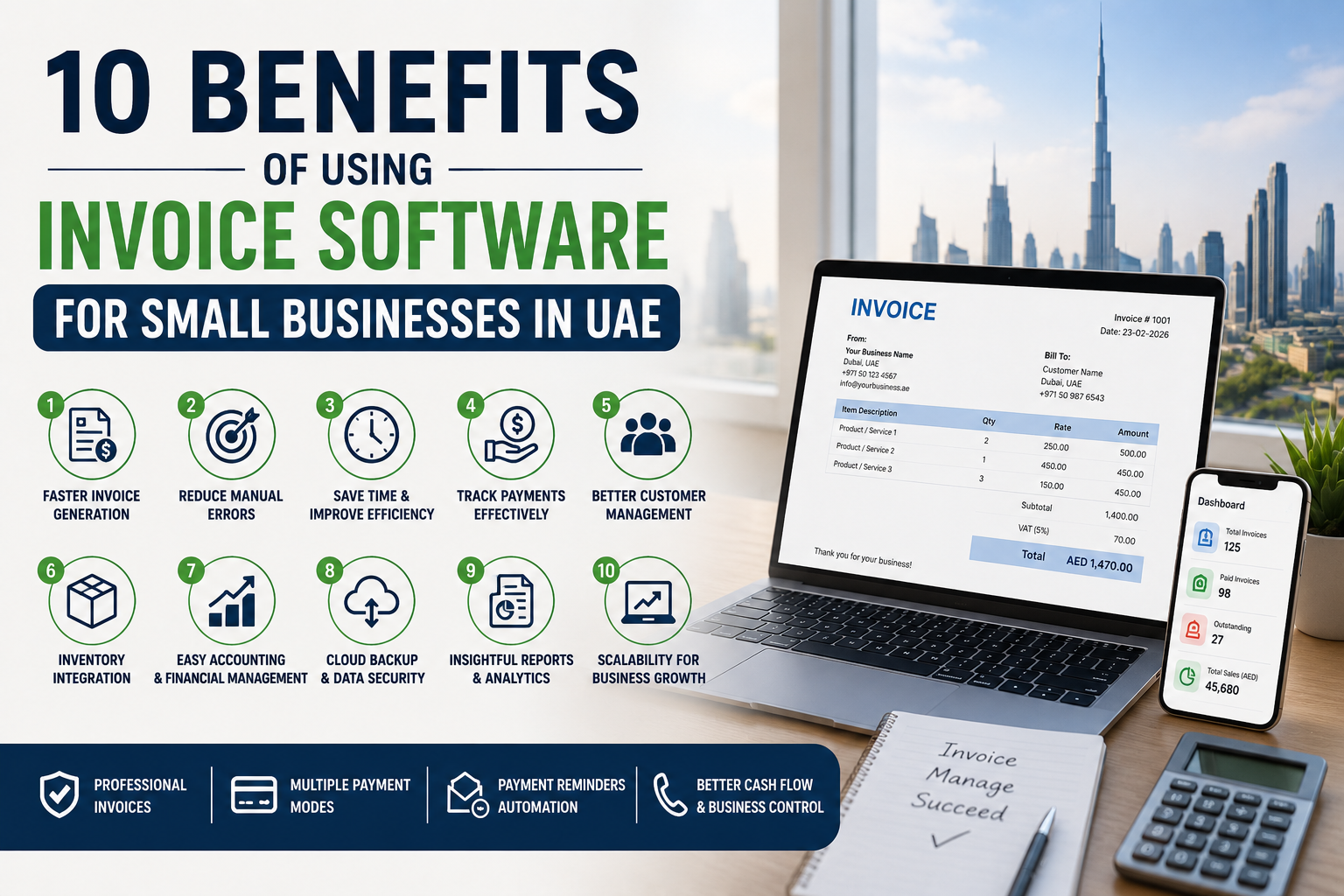
The 10 major benefits include faster invoice creation, fewer manual errors, time savings, better payment tracking, improved customer management, inventory integration, easier accounting, support for digital invoicing, better business reporting, and greater scalability.
As UAE businesses move toward increasingly digital invoicing processes, choosing the right software today can also help create a stronger foundation for tomorrow.
Before selecting a solution, identify your business requirements, request a live demo, evaluate the software’s accounting and inventory capabilities, check data security and support, and importantly, ask how the provider plans to support applicable UAE eInvoicing requirements.
For small businesses looking for an integrated solution, explore Marg Invoice Software UAE to see how invoicing, inventory, payments, accounting, and business reporting can be managed through one platform.
Ready to simplify your invoicing process? Explore Marg Invoice Software and choose a solution designed to help your business bill faster, stay organized, and grow.