
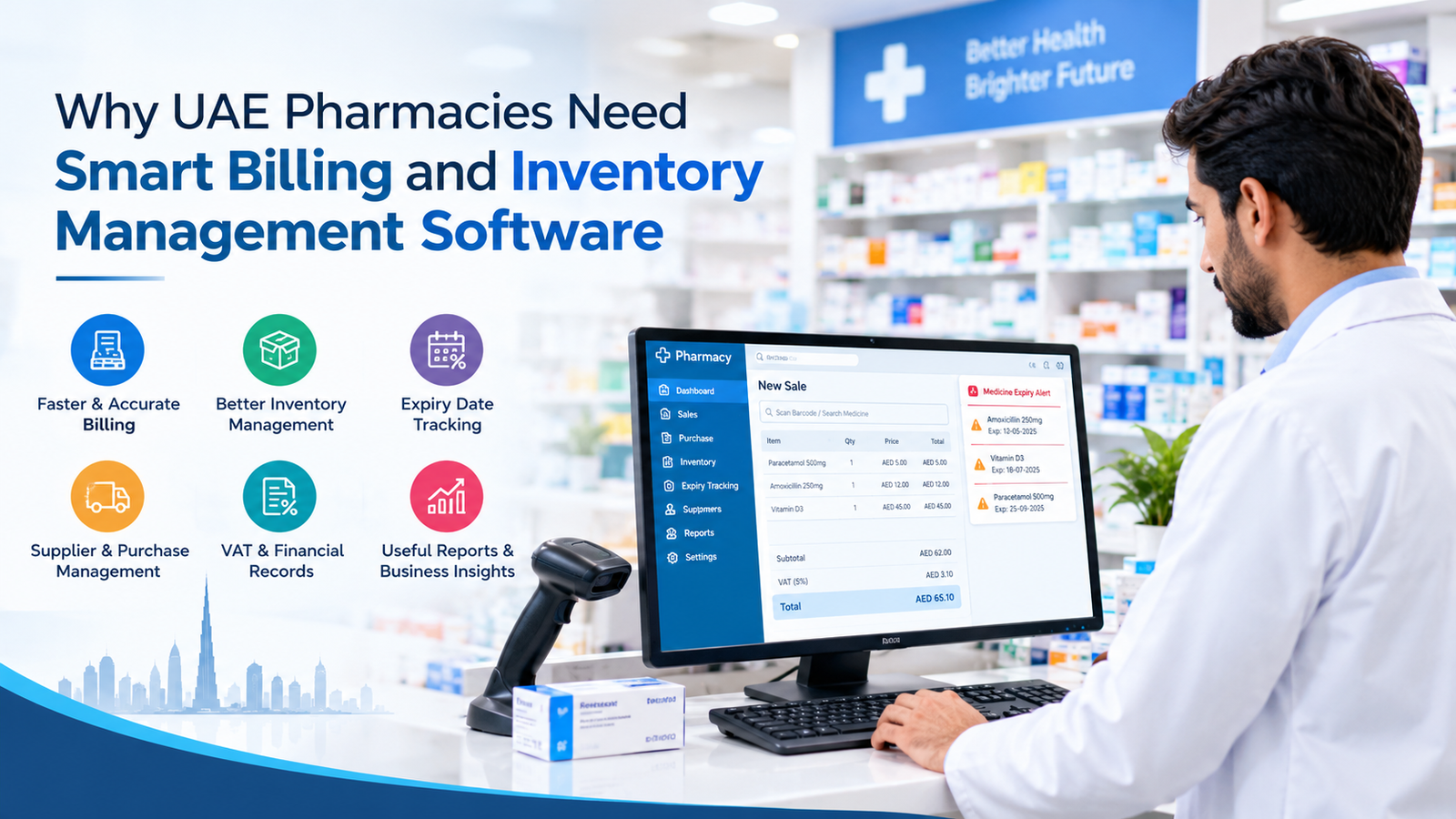
The pharmacy industry in the UAE is evolving as customers expect faster service, accurate billing, and the availability of essential medicines. Managing a pharmacy involves more than selling medicines. Business owners must also monitor stock levels, maintain purchase records, track expiry dates, manage suppliers, and keep financial information organized.
Handling these activities manually can become time-consuming, particularly for pharmacies with a large product range or multiple branches. Errors in billing, missing stock records, and expired products can create operational challenges and affect customer satisfaction.
This is why many pharmacy owners are exploring digital solutions to simplify their daily work. With pharmacy billing software in uae, businesses can streamline billing processes, organize inventory information, and improve visibility into their operations through a centralized system.
What Is Pharmacy Billing and Inventory Management Software?
Pharmacy billing and inventory management software is a digital solution designed to help pharmacies manage sales transactions, medicine stock, purchasing records, and other routine business activities.
Depending on the system, it may include features such as barcode scanning, batch tracking, expiry date monitoring, supplier management, sales reports, and financial record-keeping.
Instead of maintaining separate registers or spreadsheets, pharmacy staff can use an integrated system to access relevant information more efficiently. This can reduce repetitive administrative work and make everyday tasks easier to manage.
For pharmacies operating in Dubai, Abu Dhabi, Sharjah, and other parts of the UAE, selecting software that matches their operational requirements can support more organized business management.
7 Reasons UAE Pharmacies Need Smart Billing and Inventory Software
1. Faster and More Accurate Billing
Billing is one of the most frequent activities in a pharmacy. During busy hours, staff members may need to process multiple purchases while answering customer questions and checking medicine availability.
Manual billing can slow down service and increase the risk of calculation or data-entry errors.
Pharmacy billing software helps staff generate invoices using product information and configured pricing details. Barcode scanning, where supported, can also make it easier to identify products and add them to a transaction.
A suitable system may help pharmacies:
- Process customer purchases more efficiently.
- Calculate bills using configured prices and applicable charges.
- Maintain organized sales and invoice records.
- Review previous transactions when necessary.
- Reduce repetitive manual data entry.
For pharmacy owners, these improvements can help create a smoother checkout process while allowing employees to focus more on customer service.
2. Better Medicine Inventory Management
Maintaining accurate stock records is essential for every pharmacy. Customers expect medicines to be available when needed, while business owners must avoid unnecessary overstocking and manage purchasing costs.
Without a proper inventory system, employees may struggle to determine which medicines are available, which products need replenishment, and which items are moving slowly.
Pharmacy inventory management software can help maintain records of medicine names, product codes, quantities, purchase prices, and sales activity.
Depending on the features available, pharmacy staff can use these records to:
- Check current stock levels.
- Identify products that need replenishment.
- Review fast-moving and slow-moving medicines.
- Maintain purchase and sales records.
- Monitor stock movement over time.
Better inventory visibility helps business owners make more informed purchasing decisions and organize their stock more effectively.
3. Improved Expiry Date and Batch Tracking
Medicine expiry management is an important responsibility for pharmacies. Products must be monitored carefully to help prevent expired medicines from being sold and to support appropriate stock rotation.
Managing expiry dates manually can be difficult when a pharmacy carries hundreds or thousands of products.
Software with batch and expiry tracking can help record relevant product details and identify medicines approaching their expiry dates. Some systems may also provide alerts or expiry reports, depending on their configuration.
Pharmacy teams can use this information to review stock regularly, prioritize appropriate stock rotation, and coordinate with suppliers when eligible products require return or replacement.
However, software alerts should support not replace physical stock checks and established procedures for handling expired or recalled medicines.
4. Easier Purchase and Supplier Management
Pharmacies often purchase products from multiple distributors and suppliers. Keeping track of purchase orders, received quantities, invoices, and outstanding payments can become complicated when records are scattered across different systems.
Integrated pharmacy software can help organize supplier details and purchasing transactions in one place.
Depending on the available functionality, pharmacy owners may be able to:
- Maintain supplier contact information.
- Record medicine purchases and received stock.
- Review purchase histories.
- Compare purchasing activity across periods.
- Track supplier balances and payment records.
These capabilities can improve record accessibility and help staff coordinate replenishment more efficiently.
A well-organized purchasing process also makes it easier to investigate stock discrepancies and review supplier transactions when needed.
5. More Organized VAT and Financial Records
Financial record-keeping is another important aspect of operating a pharmacy in the UAE. Businesses need appropriate documentation for sales, purchases, expenses, and applicable tax obligations.
Billing and accounting software with suitable tax features can help pharmacies organize transaction records, generate invoices, and prepare information for financial review.
When evaluating pharmacy software, check whether it supports the VAT settings, invoice details, accounting workflows, and reports relevant to your business.
It is important to remember that software alone does not guarantee tax compliance. Pharmacies must configure the system correctly and follow current UAE tax requirements. Businesses should consult a qualified tax professional when they need advice on specific obligations.
Choosing software that supports your financial workflow can reduce administrative effort and make records easier to review.
6. Useful Sales Reports and Business Insights
Pharmacy owners need reliable information to understand business performance and plan their next steps. Without organized reporting, reviewing sales trends and stock movement may require considerable manual effort.
Pharmacy management software with reporting features can provide useful information about daily transactions and inventory activity.
Depending on the system, reports may cover:
- Daily, weekly, and monthly sales.
- Product-wise sales performance.
- Purchase and supplier transactions.
- Current inventory and stock movement.
- Fast-moving and slow-moving products.
- Branch-wise performance for multi-location businesses.
For example, a report showing frequently purchased products can help a pharmacy review its replenishment priorities. Inventory reports may also help identify items that remain in stock for longer periods.
These insights allow business owners to make decisions based on recorded business activity rather than relying entirely on estimates.
7. Better Coordination Across Multiple Pharmacy Branches
Pharmacy businesses with multiple locations often face additional challenges. Owners may need to review stock at different branches, compare sales, coordinate purchases, and maintain consistent operating procedures.
A system with multi-branch management capabilities can help centralize selected information and make branch-level performance easier to review.
Depending on the software, these features may include branch-wise inventory records, consolidated sales reports, user permissions, and stock transfer documentation.
This can help authorized staff access relevant information without maintaining separate manual records for every location.
Before choosing a solution, confirm whether it supports your required number of branches, data synchronization, access controls, reporting needs, and integration requirements.
How to Choose the Right Pharmacy Software in UAE
Not every pharmacy has the same requirements. A small independent pharmacy may need straightforward billing and stock management, while a larger operation may require advanced reporting, purchasing workflows, and multi-branch support.
Before selecting software, consider these factors:
1. Billing functionality: Check whether the system supports your billing process, product pricing, invoice generation, and payment methods.
2. Inventory management: Look for reliable stock records, purchase management, and product-level reporting.
3. Batch and expiry tracking: Confirm whether the software supports batch details, expiry dates, and useful alerts or reports.
4. UAE business requirements: Review its suitability for applicable VAT workflows and other relevant operational requirements.
5. Reporting capabilities: Identify the reports available for sales, stock movement, purchases, and supplier transactions.
6. Ease of use: Choose a system that your employees can learn and operate without unnecessary complexity.
7. Data security and support: Ask about user permissions, backups, data protection, software updates, training, and technical assistance.
8. Scalability: Consider whether the software can accommodate additional products, employees, or branches as your business grows.
Request a demonstration and test the functions that matter most to your pharmacy before making a purchase decision.
Why Consider Marg Software?
Marg Software offers business software solutions, and pharmacy owners can explore its available pharmacy-related products to determine whether they fit their operational needs.
When evaluating Marg Software, review the functions available for billing, medicine inventory, expiry tracking, purchasing, reporting, and financial record management. Confirm the specific features, pricing, support arrangements, and compatibility required for your pharmacy in the UAE.
You can start by visiting the Marg Software UAE website and contacting the provider to identify the appropriate product and confirm its available features.
Selecting a solution based on your actual requirements can help you avoid paying for unnecessary functionality while ensuring that essential workflows are covered.
Frequently Asked Questions (FAQs)
1. Why do pharmacies in the UAE need billing software?
Billing software can help pharmacies generate invoices, maintain transaction records, organize pricing information, and process customer purchases more efficiently. The available benefits depend on the software’s features and how it is configured.
2. Can pharmacy software help track medicine expiry dates?
Yes, systems with batch and expiry tracking can record expiry information and may provide alerts or reports for products approaching their expiry dates. Pharmacies should continue performing regular physical stock checks and follow appropriate medicine-handling procedures.
3. What is the difference between pharmacy billing software and inventory software?
Billing software primarily supports sales transactions and invoices, while inventory software focuses on stock quantities, purchases, and product movement. An integrated pharmacy management system may combine both functions.
4. Does pharmacy software support VAT records in the UAE?
Some systems include configurable VAT and financial reporting features. Pharmacies should verify that the software supports their applicable requirements and ensure that it is configured correctly.
5. Is pharmacy management software suitable for small pharmacies?
Yes. Smaller pharmacies can benefit from organized billing, inventory records, and sales reporting. The best option depends on the pharmacy’s size, budget, transaction volume, and operational needs.
6. What features should I check before purchasing pharmacy software?
Important features to review include billing, stock management, batch and expiry tracking, purchase records, supplier management, reporting, applicable tax support, data security, and customer support.
Conclusion
Efficient billing and inventory management are essential for pharmacies that want to maintain organized operations and provide dependable customer service. Manual processes can become difficult to manage as product ranges, transactions, and business requirements increase.
Smart software can help simplify billing, improve stock visibility, support expiry monitoring, organize supplier records, and provide useful business reports. The right solution depends on your pharmacy’s specific needs, available features, and operating procedures.
If you are evaluating pharmacy billing software in uae, compare the available solutions carefully and choose one that supports your daily workflows, inventory requirements, and financial record-keeping needs.
Explore Marg Software UAE to learn more about its offerings and discuss which solution may be appropriate for your pharmacy business.